
The Designing:
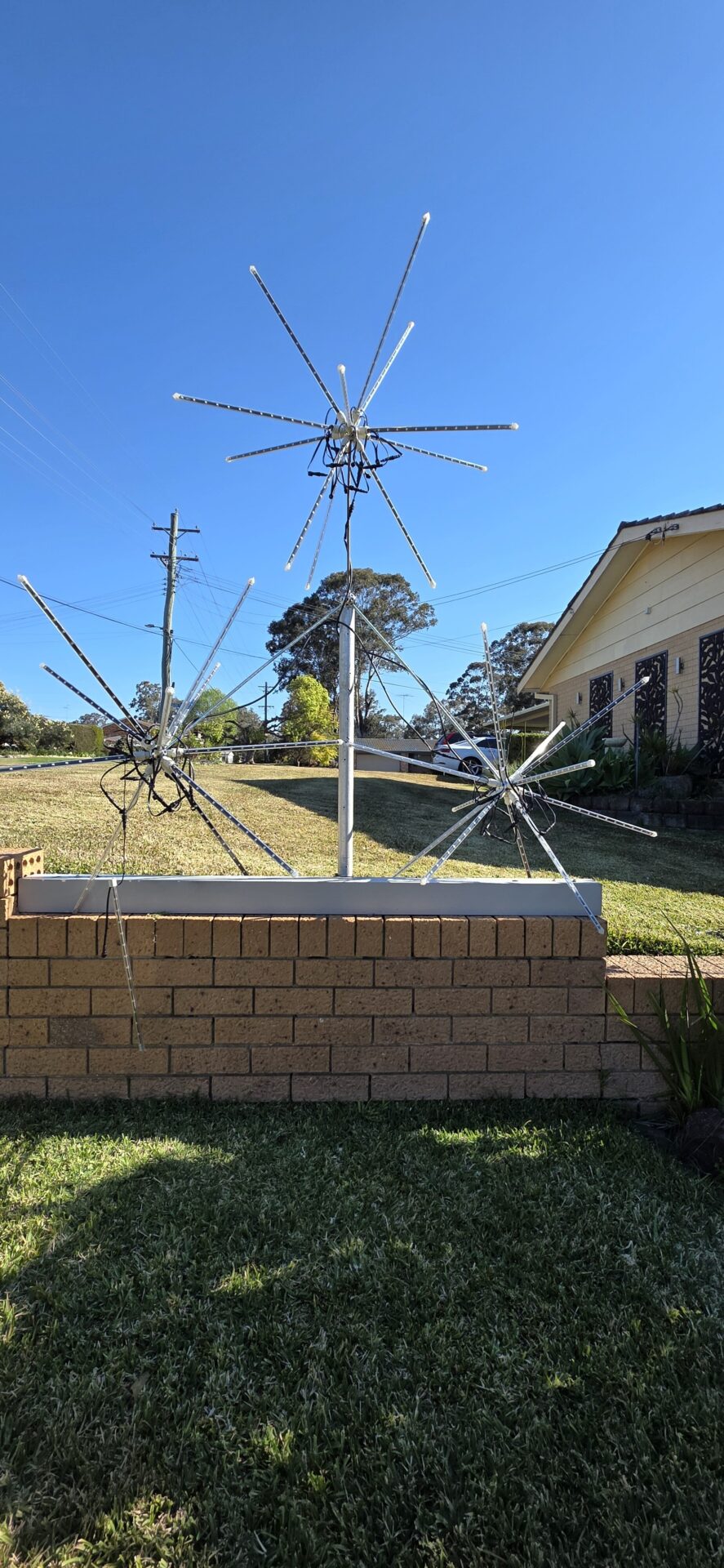
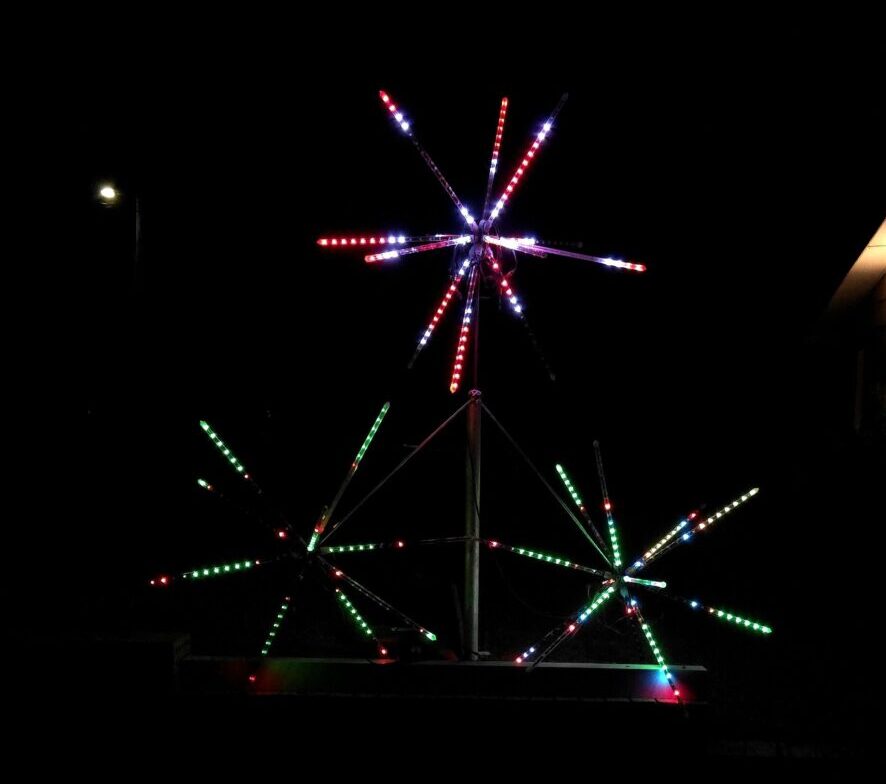
This year I wanted to add something new to the display — a Fireworks Tree. The idea is simple: build three spheres out of radiating LED arms, mount them on a trunk like the branches of a tree, and sequence them so all three burst outward together, just like a real firework going off.
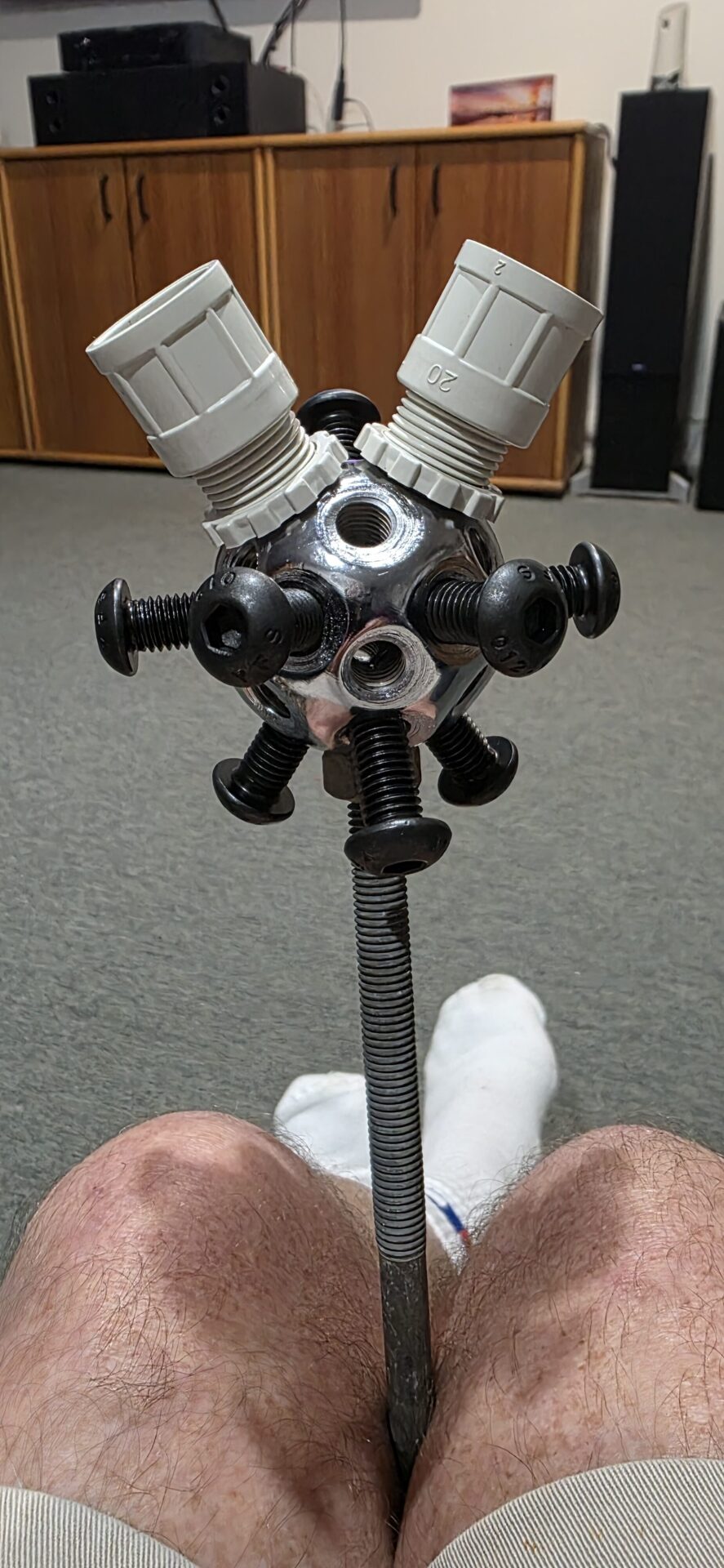
Each sphere starts as a steel ball connector with 26 threaded holes, though I’m only using 12 of them. Three go around the top, 120° apart and angled 45° up from vertical. Three go around the bottom the same way, angled down. The other six run around the equator, 60° apart. That gives each ball 12 evenly spaced points to radiate from — the same pattern as a firework burst.
Manufacturing:
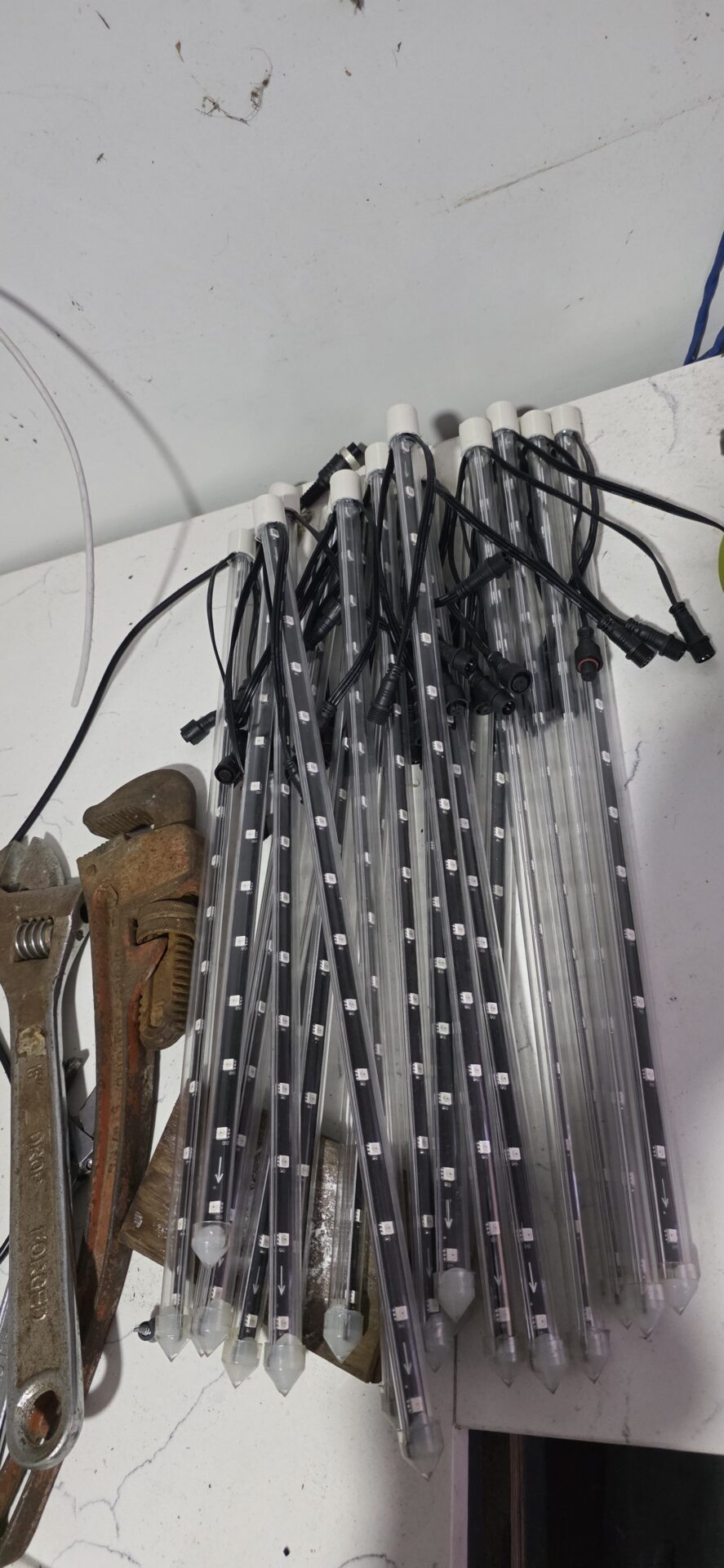
At each of those 12 points I bolt on a conduit adaptor with an M10 button head screw, then press-fit a 20mm-to-16mm reducer onto it. That reducer takes the 16mm tube each “meteor stick” runs through — an addressable LED strip (WS2811) manufactured as two 15-LED strips already joined and mirrored, so I get a full 30-LED stick with both ends of the wiring coming out the same end of the tube. 12 sticks per sphere, 3 spheres, 36 sticks in total.
Assemble and Controlling:
To turn the three balls into a tree, a fourth ball becomes the trunk hub. Two 1000mm lengths of M10 threaded rod run from the hub out to two of the spheres, and a 400mm rod runs along the trunk to the third. It’s a simple hub-and-rod design, and it means I can bolt on more branches the same way later if I want to grow it.
Getting it into xLights took a bit of trial and error. My first attempt at a 3D custom model used a plain coordinate list, which isn’t actually a format xLights reads — custom models always come in as a grid of node numbers, layer by layer. Once I rebuilt the file in the right format, the sphere imported properly and the spokes lined up in the 3D preview exactly as designed.
For the sequence, I grouped all three spheres together as “Firework Spheres” and gave each one 12 radial sub-models — one per spoke. With the group’s State Effect set to Radial/Center-Out and the timing pulled right down to a second or two, all three spheres burst outward together, just like a firework. A 20-pixel “fuse” string leads into each burst, timed to reach the top right as the explosion starts.
The whole sequence is driven out of xLights to my HE123 controller with differential receiver boards, which gets the signal out to the spheres. Still to finish: sourcing the fuse-string pixels. More to come once it’s fully wired in and I can get some real footage of it firing.